Gratuitease

Apple Pay tipping guide

Tipping with Apple Pay: what to check before you confirm.

You can use Apple Pay to leave a tip when the service’s checkout supports it and your card is accepted. The tipping service identifies the recipient and calculates the total; Apple Pay lets you authorize the payment. Having a card in Wallet does not mean every tipping service accepts it.

Updated

01

Apple Pay is the authorization step

Start with a tipping service or business checkout that offers Apple Pay. Find the correct worker or team, choose the gratuity, and review any fees. Apple Pay does not discover nearby workers or decide how a business shares tips.

A business may offer tipping as part of its service checkout or through a separate flow. Confirm which you are using so a gratuity already included with your bill is not repeated unintentionally.
02

How to tip a worker in Gratuitease

On iPhone, open Gratuitease and allow the requested permissions for nearby discovery. Eligible nearby workers appear through Bluetooth proximity and active earning sessions. Recognize the person who helped you by name and photo, rather than assuming the first result is the right person.

  • Select the intended worker or configured service point.
  • Choose the tip and review any applicable allocation information.
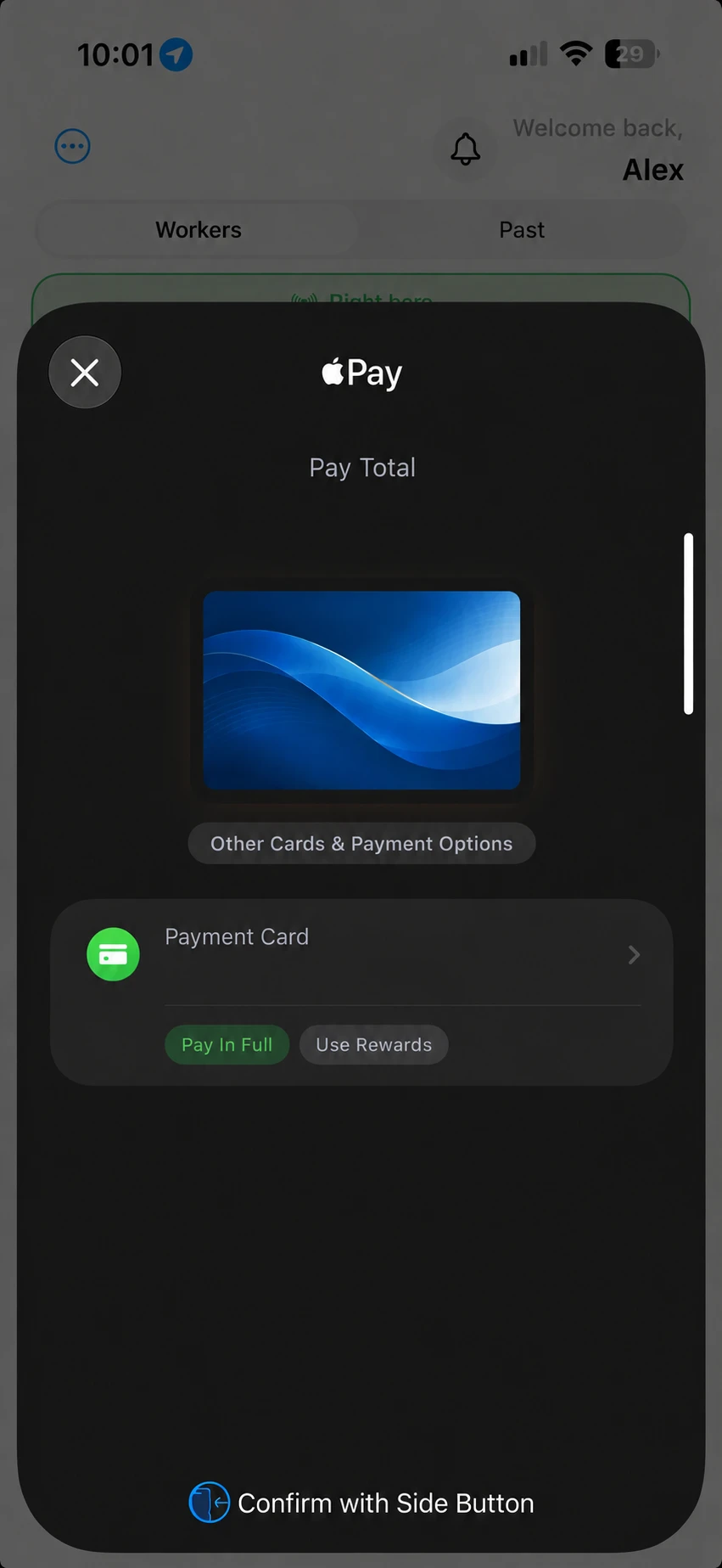
  • Check the fees and complete total before opening Apple Pay.
  • Authorize with the device’s supported authentication and check confirmation.

Illustrative app screens; no payment is made.

Apple Pay illustration: review the tip, platform fee and total before confirming.
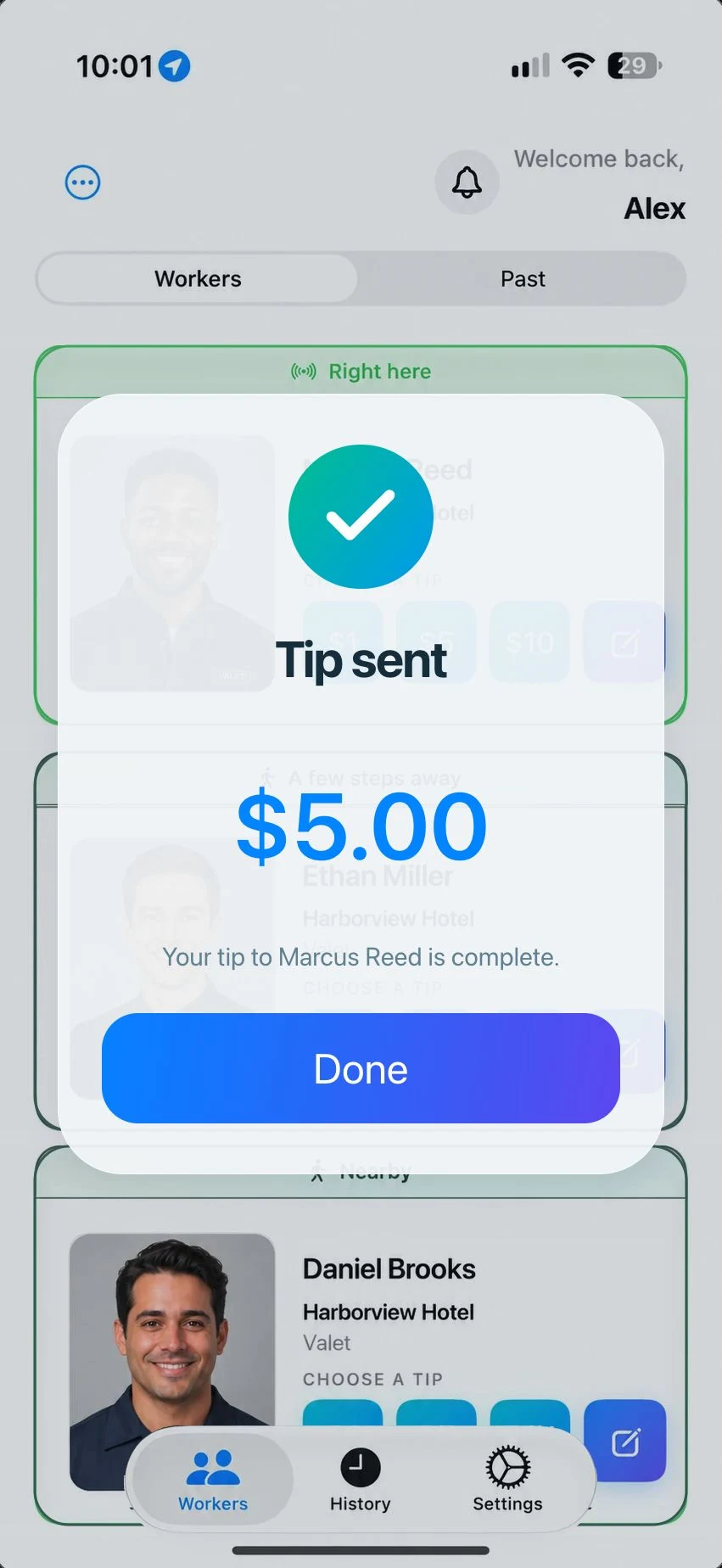
Example Tip sent screen showing a completed $5 tip to Marcus Reed.
Example completion message for a $5 tip to Marcus Reed. Check the payment confirmation before treating a tip as complete.

03

Check the accepted card and full total

Gratuitease card-funded tips accept Stripe-verified credit cards through the supported wallet flow. Debit and prepaid cards are not accepted, even if they are in Apple Wallet. Other tipping services may have different payment restrictions.

Gratuitease discloses customer fees before payment authorization and does not deduct its platform fee from the worker’s selected tip. Approved tip-pool rules can determine how earnings are shared. See the current tips, fees, and cashout help page for the applicable terms rather than relying on an old price or example.

04

What happens to payment information?

Apple Pay protects the card number during checkout, and Stripe processes Gratuitease payments. Gratuitease retains tip and payment records needed for receipts, support, and reconciliation. The payment safety and privacy pages explain the service’s handling of this information.

05

A saved offline tip still needs authorization

Gratuitease can discover nearby eligible workers and save a scheduled tip locally without Wi-Fi or cellular service. It does not create that payment while offline.

When you have a connection again, open the pending tip and authorize it with Apple Pay. Check the payment status afterward. A saved amount or restored connection is not payment confirmation.

06

iPhone and Android availability

The iPhone app uses Apple Pay, and the Android app uses Google Pay on supported devices. Download Gratuitease from the App Store or Google Play and check that your payment card meets Gratuitease’s current acceptance rules.