
Make your bar recognizable.
Set its customer-facing name and logo under Location Beacons.
Explore business toolsCashless tipping for bars & restaurants
Let guests recognize their bartender or server—or tip the team through a branded location beacon.
Nearby professionals and service points appear.
Choose a familiar face or your bar’s logo.
Review the total and approve with Apple Pay or Google Pay.
At the bar · Your branding, your people
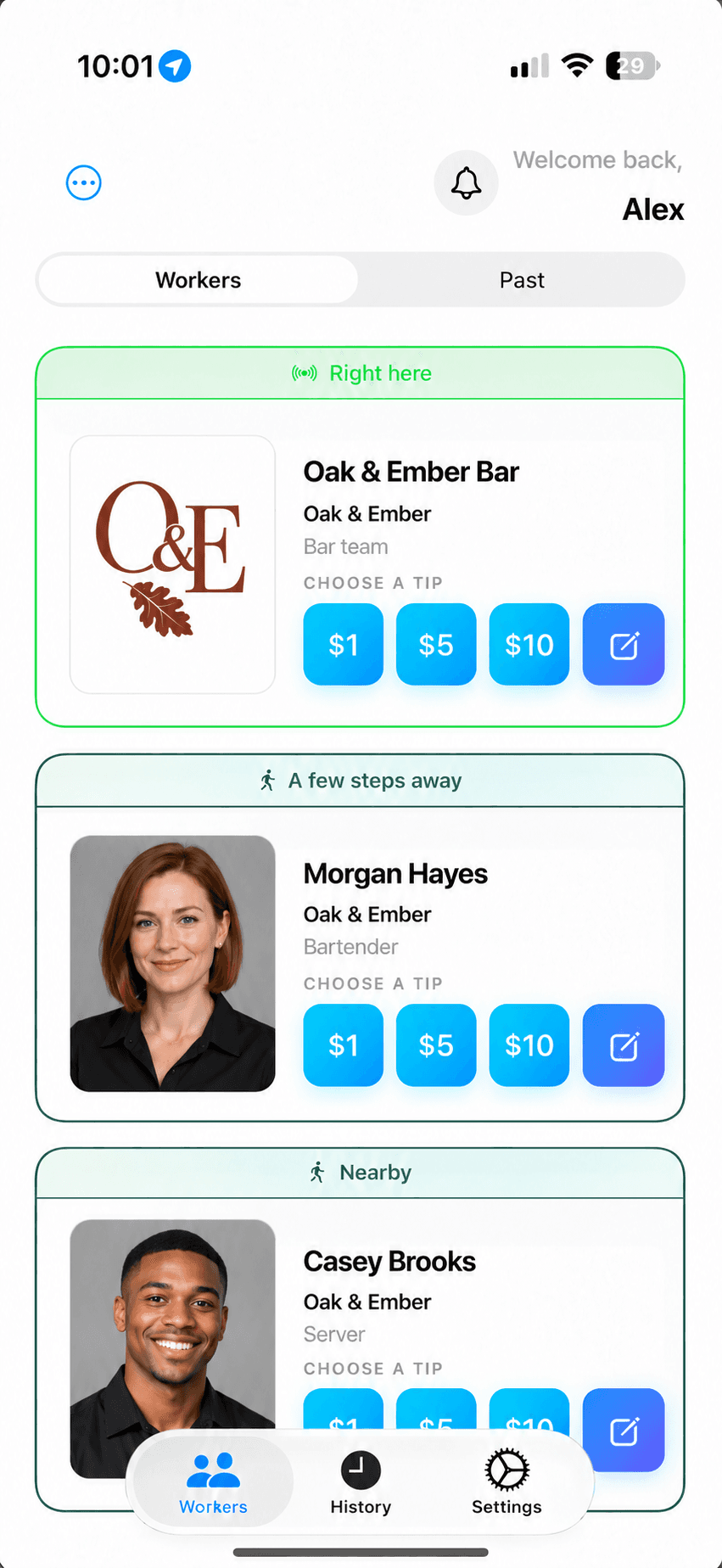
Set its customer-facing name and logo under Location Beacons.
Explore business toolsEqual, weighted-hours, or custom rules—configured in the dashboard’s Split tab.
Compare pooling optionsReview tip conversion, team earnings, and recorded earning sessions.
Explore your analyticsYes. Eligible workers appear individually, and a configured regular location beacon can represent a team. Tip allocation follows the business’s approved setup.
After creating a regular location beacon, add its logo under Beacons → Location Beacons in the business dashboard. Room and housekeeping beacons continue to use the assigned worker’s profile.
Use the business dashboard’s Split tab to configure and enable Equal, Weighted hours, or Custom rules for the appropriate team.
This is a separate tipping experience in Gratuitease. The flow shown does not take orders or pay a restaurant bill.