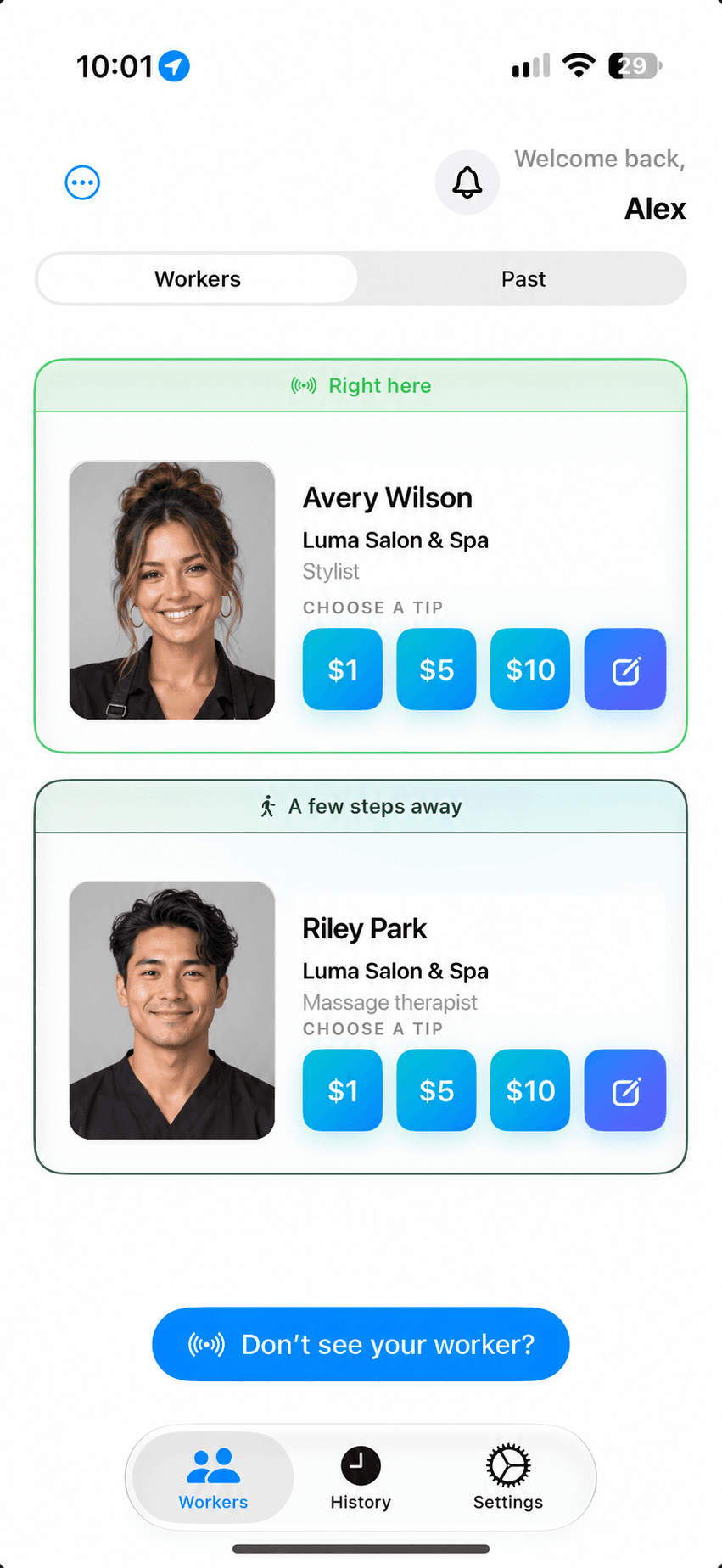
Gratuitease uses Bluetooth to help clients find eligible nearby stylists, barbers, nail technicians, and massage therapists, then tip the professional who provided their service.
01
Open Gratuitease.
Open Gratuitease and allow the requested permissions for nearby discovery.
02
Find your provider.
Recognize the professional who helped you by their photo, name, and role.
03
Leave a thank-you.
Review the tip, any fees, and total, then confirm with Apple Pay or Google Pay, where supported.
Start Earning at the beginning of each shift. With free phone mode, unlock the phone with Gratuitease open when a client is ready to tip. An optional wearable keeps the provider discoverable while the phone stays put away.
Clients select the eligible professional who helped them. Tips can be direct or shared through an approved business pool, following your configured allocation rules.
How does a client leave a cashless tip after an appointment?+
The client opens Gratuitease, allows the requested discovery permissions, and selects their eligible nearby provider by name and photo. They choose a tip, review any fees and the total, and authorize with Apple Pay on iPhone or Google Pay on supported Android devices.
Can tips go to one provider or a shared salon team?+
An eligible stylist, barber, nail technician, or spa professional can be selected individually. Tips follow the business’s approved direct-tip or pooling rules; choosing a provider does not override those rules.
Does a salon worker need a wearable beacon?+
No. Free phone mode starts with Start Earning at the beginning of each shift. When a client is ready to tip, the worker unlocks the phone with Gratuitease open so the active session resumes discovery. An optional wearable keeps the worker discoverable while the phone stays put away.
Does this replace the salon’s appointment or checkout system?+
Gratuitease provides a separate tipping experience. The flow described here does not book appointments or collect the payment for a salon or spa service.